Configurations
A configuration is the set of devices a machine carries and the parameters they carry them with — the whole machine as one document. The list on the left is every machine this QUniLator knows; the panel on the right is the one you picked.
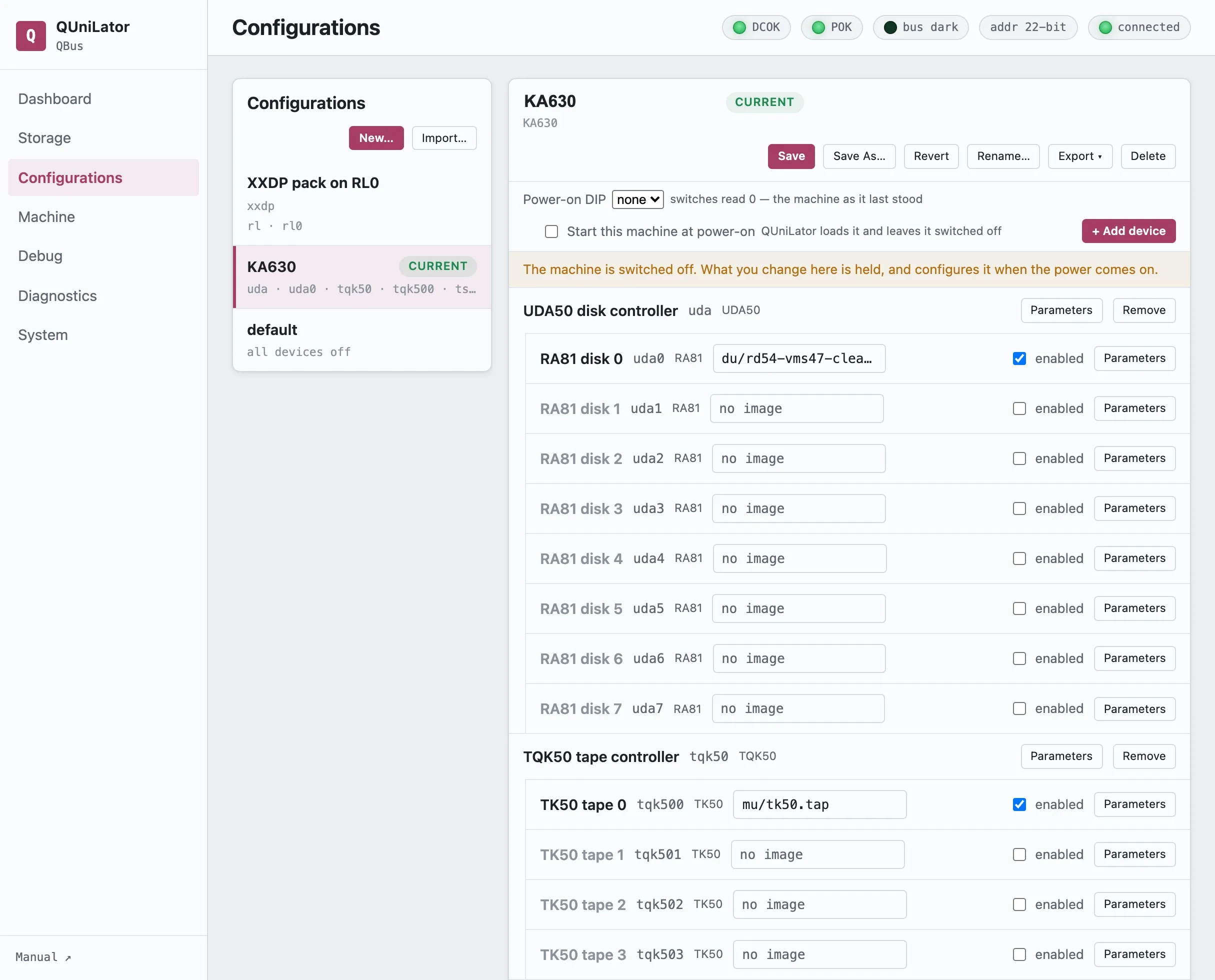
CURRENT marks the configuration that is loaded. MODIFIED means the live machine has drifted from what was saved — Save writes the drift back, Revert throws it away.
The device set
Section titled “The device set”Devices are grouped under the controller they hang off: an RLV12 with its four RL02s, a UDA50 with its drives. Each row has an enabled box, the image it holds if it takes one, and Parameters for everything else — bus address, interrupt vector, backplane slot, emulation speed.
+ Add device brings in a card the machine does not yet have; Remove takes one out.
Enabling is what puts a card into the machine, and the order matters: set a drive’s image first, then enable it. Enabling a controller rebuilds the drives under it, which clears an image assigned beforehand.
Power-on DIP
Section titled “Power-on DIP”Binds this configuration to a DIP switch setting, 1–15. The service reads the switches once, at startup, and loads the configuration that claims that value. At most one configuration may claim a setting.
Setting 0 is not a slot: it brings back the machine that was last running, unsaved changes and all, from a mirror the board keeps of the live setup.
Because the switches are read only at startup, changing machines means changing the switches and restarting the service — a power cycle keeps whatever is loaded.
Starting by itself
Section titled “Starting by itself”Start this machine at power-on makes the configuration switch itself on rather than waiting for the panel switch. It cannot be made safe — the board still cannot see the backplane — so it is made loud: the boot logs a warning naming the cards it put on the bus, and raises a standing notice that holds until somebody acknowledges it.
Moving a machine
Section titled “Moving a machine”Export offers three forms:
| Configuration document | the JSON, and what an import reads |
| Menu command script | the same device set as sd/p/en commands for the interactive menu |
| Archive with the media | the document with every image its drives name, as one .qcfg.zip |
The archive is how a whole working machine travels to somebody else. Import… reads one back, or a bare configuration document.
An import is validated before anything is written: a device this QUniLator does not have, or a parameter it does not know, is refused by name. The DIP binding travels but does not displace — a value another configuration here already claims is dropped, and the answer says so.
The rest
Section titled “The rest”Save As… copies under a new name, Rename… renames, Delete removes. New… starts from nothing.