Storage
The library of disk and tape images, in /var/lib/qunilator/images. Drag a file
onto the page to upload it — .rl02, .rl01, .rk05, .rx2, .dsk and
.tap, gzipped or not — or use New image… to make an empty one and New
folder to organise them.
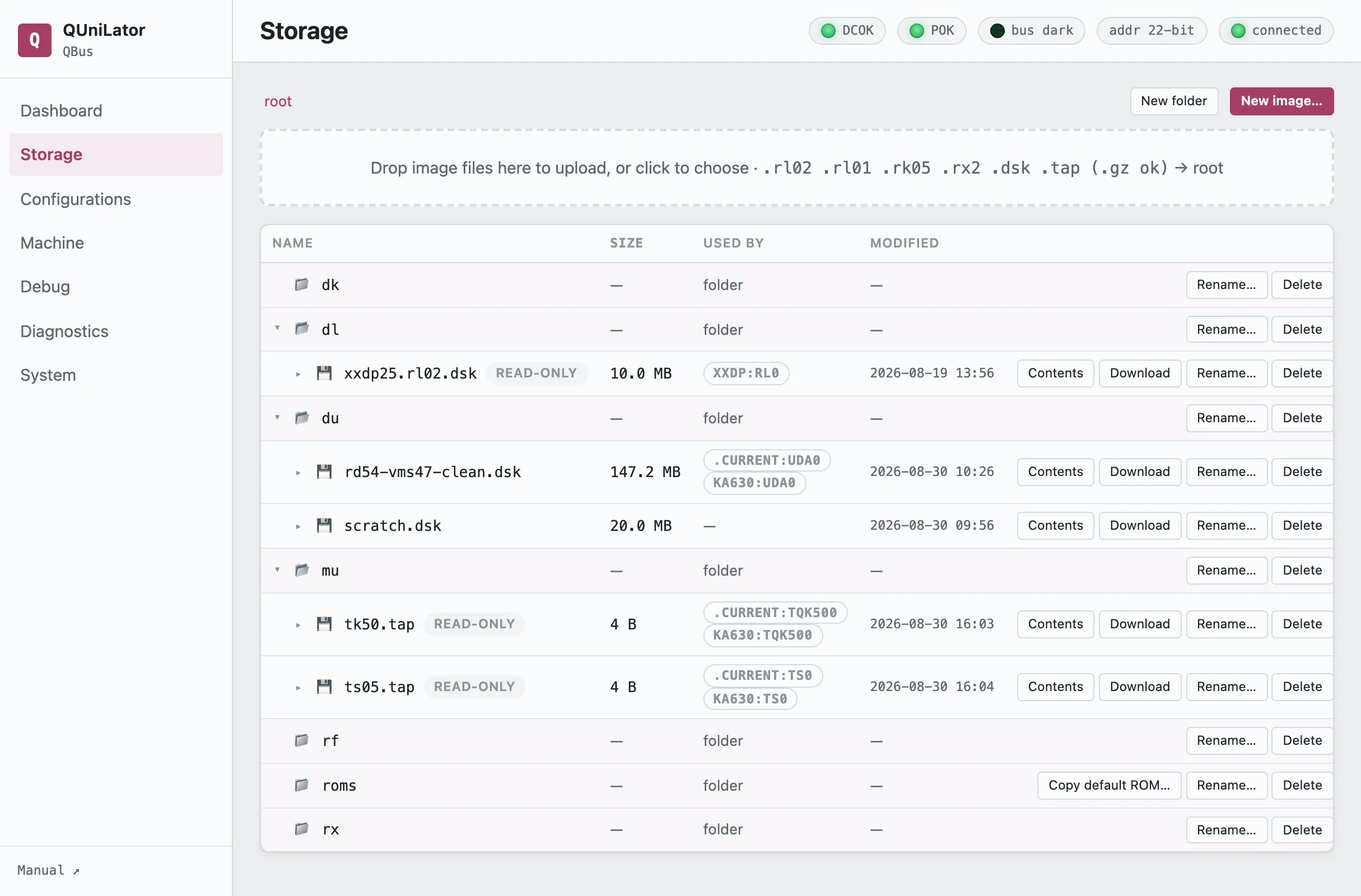
The folders are conventions, one per device family: dl for RL packs, dk for
RK, du for MSCP volumes, mu for tapes, rx for floppies, and roms for
bootstrap images, where Copy default ROM… drops in the ones QUniLator ships.
Reading the table
Section titled “Reading the table”Used by is the column that keeps you out of trouble. It names every saved configuration that references this image and the drive it puts it in, and marks the ones a running machine currently has MOUNTED — so before deleting or renaming anything you can see whether a machine depends on it.
read-only marks an image the emulator may not write. That is how a master pack survives a diagnostic that would otherwise scribble on it.
Looking inside an image
Section titled “Looking inside an image”Contents reads the volume and lists its files — name, blocks and date — without booting anything. It understands RT-11 and ODS-2; anything else is reported honestly as not a recognized filesystem, and a formatted but unused volume as empty volume — no files.
This is the quick way to tell two similar packs apart, or to confirm a download is the thing you wanted before you build a machine around it.
Overlays
Section titled “Overlays”A drive can write to a copy-on-write overlay instead of to the image itself. The base file stays exactly as it was; every changed block goes to a companion file beside it. A row whose image has one shows Overlay active and how many blocks have been written.
That is what makes a shared or read-only master pack usable: boot it, let the guest write all it likes, and decide afterwards what to keep.
| Discard overlay | throw the writes away and go back to the base image |
| Consolidate → base | fold the writes into the base image, permanently |
| Consolidate → new file… | write base-plus-overlay out as a new image, leaving both alone |
An overlay that has taken no writes is the resting state of every read-only pack a drive holds: nothing to discard, nothing to consolidate, nothing unsaved.
Getting images on and off
Section titled “Getting images on and off”Download takes a copy; Rename… and Delete do what they say, with Used by telling you first whether anything depends on the file.